


[LIVE & CALL & PHOTO] 2025 MATCH PLAY Fanmeeting
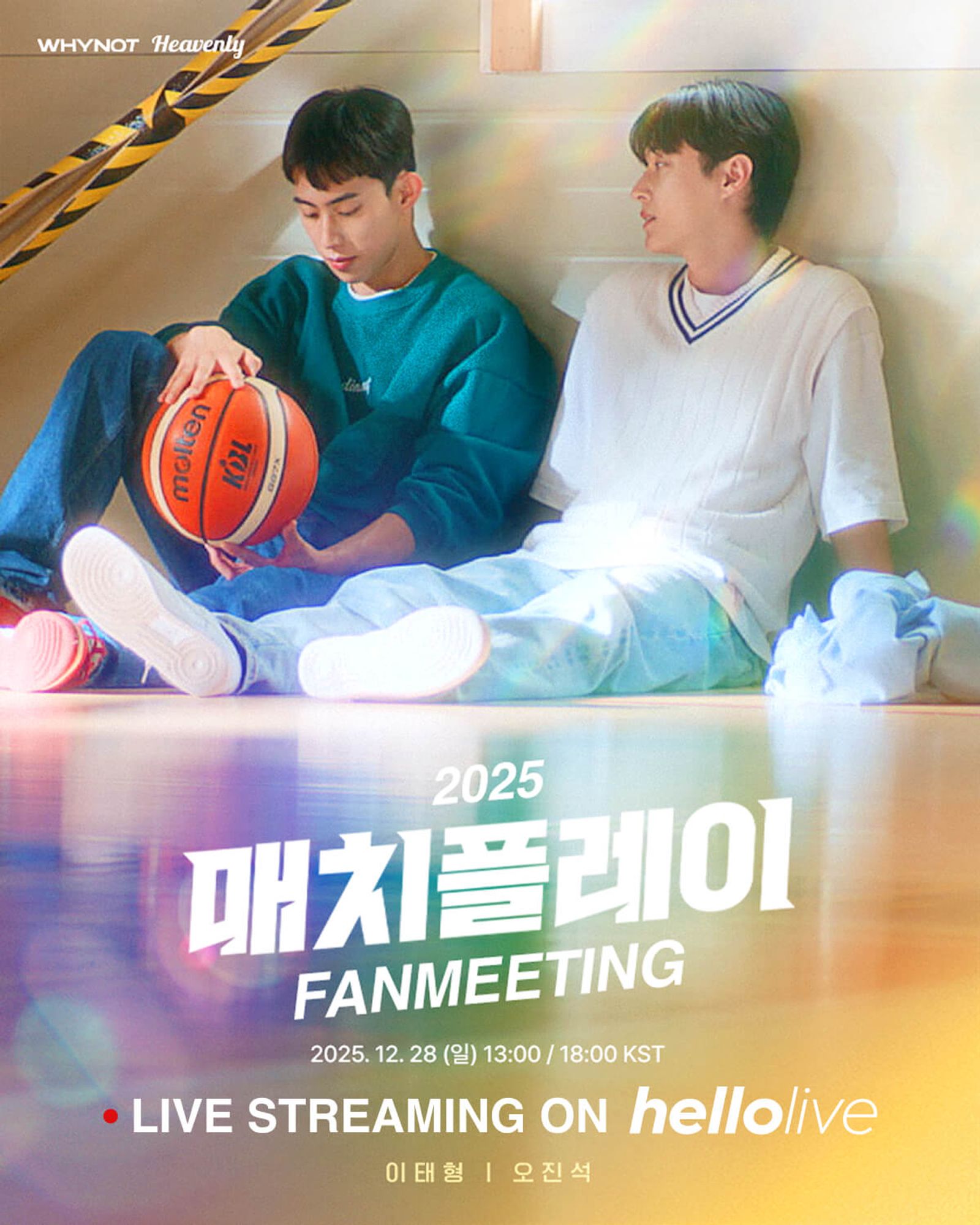
⏰ DATE&TIME PART 1. 2025. 12. 28 (SUN) 13:00 KST PART 2. 2025. 12. 28 (SUN) 18:00 KST 🎞 RUNNING TIME 90minutes 📞 VIDEO CALL DATE & TIME 2025. 12. 28 (SUN) 21:30 KST ✔️ TEST CALL DATE & TIME 2025. 12. 28 (SUN) 21:00 KST 🎫 TICKET OPEN 2025. 12. 15 (MON) 18:00 KST ~ ✔️ First come, first served TICKET OPEN 2025. 12. 16 (TUE) 18:00 KST ~ ※ The sales period varies depending on the product. 🔍 Hosted / Organized heavenly


Release Schedule
REPLAY Viewing period
2026. 01. 08 (Thu) 18:00 KST ~ 2026. 01. 15 (Thu) 23:59 KST (A vailable for viewing for 3 days within the period)
You will not be able to watch it after the available period.
Digital Goods Download Period
2026. 01. 08 (Thu) 18:00 KST ~ 2026. 01. 15 (Thu) 23:59 KST
The digital goods of the performance can be downloaded up to 5 times per account.
Valid Identification
Korean nationals (Adults):
Resident Registration Card, Driver’s License, Passport
Korean nationals (Minors):
Youth ID, Passport, Student ID with date of birth (middle/high school only), Government-issued certificate
Foreigners:
Passport, Korean Alien Registration Card
Only IDs that are not expired will be accepted.
Student IDs (including university IDs) are not valid unless the participant is a Korean minor.
If the name on the application does not match the name on the ID, participation in the event will not be allowed.
Notice on Unauthorized Ticket Transactions
Participation in this event is limited to the original applicant only. If rights are transferred or third-party use is detected, it will be considered unauthorized, and the ticket will be revoked without refund or prior notice.
Accounts involved in the illegal sale or purchase of tickets will be treated as fraudulent accounts, permanently deleted, and will not be eligible for re-registration. Any tickets linked to such accounts will also be voided.
Personal Information Collection Notice
In accordance with the Personal Information Protection Act, the applicant’s personal data will be collected and provided as follows:
Recipient of personal information: hellolive Inc., TOP MEDIA
Items collected: Name, Date of Birth, Contact Number, Email, Address, Nationality, hellolive ID
Purpose of collection: Application for Video Call Event
Retention period: Disposed of after the purpose has been fulfilled (within 7 days after the event ends)
Additional Information
The event may be partially changed or canceled without prior notice. Some members may be unable to attend due to unavoidable circumstances, and such cases may be announced right before the event. Refunds or exchanges are not available even in the event of a member’s absence.
The organizer will not be responsible for any disadvantages caused by failure to read or comply with the above guidelines. For detailed inquiries regarding the fansign, please contact hellolive (cs@hellolive.tv).
LIVE


Purchase
- You may purchase multiple tickets of the same type; however, only one ticket can be used per account.
- Duplicate tickets can be gifted to others via ‘MY BOX.’
- Please note that tickets cannot be canceled, changed, or refunded. Make sure to review the information carefully before making a purchase.
Prepare Your Device
- LIVE can be viewed on the hellolive mobile app or on PC.
- Each account can watch on only one device at a time. If you log in on another device, the existing session will be automatically terminated.
- For the best viewing experience, please ensure your internet connection speed is at least 20 Mbps.
Enter Chatroom
- LIVE chatroom opens before the event starts
- You can enter via ‘MY BOX’ or the ‘ON AIR’ section on the hellolive main page.
- Viewers can communicate and adjust their viewing environment in the chatroom.
Watch Live
- Real-time AI subtitles will be provided. (English, Japanese, Chinese, Korean, Vietnamese, Thai, and Spanish).
- The start and end times of the LIVE may change depending on on-site conditions.
- Unauthorized distribution or modification of content constitutes copyright infringement and may result in legal penalties.
VIDEO CALL
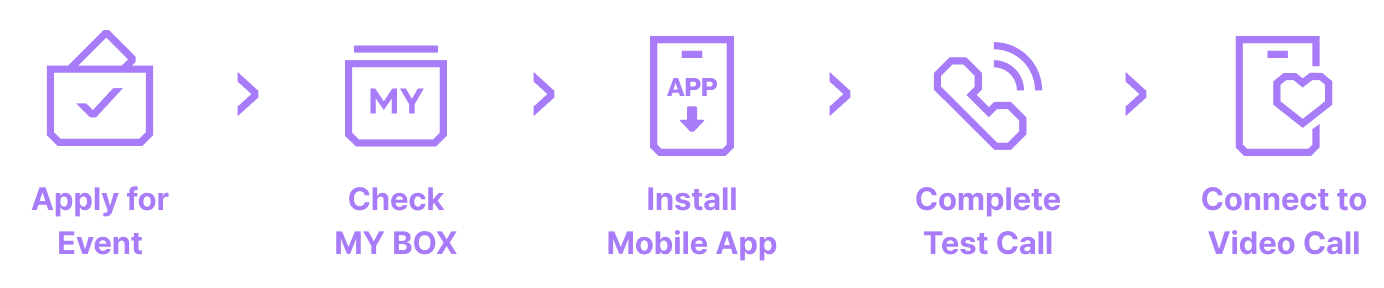
Apply for Event
- When you purchase the product, you are automatically entered into the event. Cancellation or refund after purchase is not available.
- If you place multiple orders during the entry period, all entries will be automatically combined.
- Only one participant can apply per account; proxy or multiple applications are not allowed.
- Entries will not be combined if the applicant information differs, even slightly, so please make sure your details are consistent.
Check MY BOX
- You can check your entry status and winning results in ‘MY BOX’
Install Mobile App
- Video calls can only be joined through the hellolive mobile app.
- After installing the app, please make sure to allow camera and microphone access.
- Push notifications are sent before the event begins, so please enable push notifications in the app settings.
Complete Test Call
- You cannot participate in the Video Call without completing the test call.
- The test call will take place on the day of the event, prior to the main event.
- Please prepare the identification document specified on the event detail page for identity verification.
Connect to Video Call
- You must remain in the chatroom until it is your turn to connect to the video call.
- Only one-on-one calls are allowed. If anyone other than the winner participates, the call may be forcibly terminated.
- If the call cannot be connected or is interrupted due to the participant’s network or device issues, a reattempt will not be possible.
- If any part of the conversation is deemed inappropriate, the call may be forcibly terminated.
DIGITAL GOODS
How to Download
- When digital goods become available, an app push notification and an email will be sent.
- You can download them for a limited period via ‘MY BOX’ on the hellolive mobile app or PC.
- Please check your storage path and available space before downloading.
- Using a cellular network (LTE/5G) may result in increased data usage.
- Please note that the number of downloads is limited.
- Unauthorized distribution or modification of content constitutes copyright infringement and may result in legal penalties.
DIGITAL TICKETS


Purchase → Check MY BOX → Present QR Code → Enter
How to Use
- Digital tickets are provided in the form of a QR code.
- Purchased tickets can be found in ‘MY BOX.’
- Ticket verification will be conducted by staff at the on-site ticket booth.
- Tickets that are not original cannot be verified.
- Once verified, tickets cannot be reused.
Notice on Unauthorized Ticket Transactions
- If a ticket is suspected to be involved in an unauthorized transaction, it may be canceled and reclaimed without prior notice or refund after ticket information is verified.
- For any reports related to unauthorized ticket trading, please send an email to cs@hellolive.tv with the account information of the trader attached.
Please note that no individual reply will be provided to report emails.
Select the product